Case Study
Rebuilding the Flight Upgrade Experience
How we replaced a legacy system with a cross-platform, multi-tenant micro-frontend — serving millions of passengers across 6 airline brands, web, and mobile.
Company
Lufthansa Group
Role
Tech Lead · Team of 10
Timeline
2+ years (ongoing)
Brands
Lufthansa · Swiss · Austrian · Brussels · Eurowings Discover · ITA Airways
Stack
Next.js · React · TypeScript · Vite
50%
Faster performance
19.4%
Increased Conversion
6
Airline brands
1,200,000 +
Monthly users
01
The Challenge
Legacy at Scale
Lufthansa Group's flight upgrade system was built on a legacy stack that had accumulated years of technical debt. It was slow, hard to extend, and couldn't keep pace with the demand for new features — let alone scale across six airline brands and three platforms.
- — Legacy architecture — Monolithic, tightly coupled, slow to deploy
- — Multi-tenant complexity — The upgrade flow had to serve LH, LX, OS, SN, 4Y, and the recently added ITA, each with its own brand identity, design language, and business rules
- — Cross-platform gap — Web and mobile apps had divergent codebases, leading to inconsistent UX and duplicated effort
- — Slow time-to-market — Shipping a feature or experiment across all brands and platforms was costly and error-prone
02
My Role & Scope
End-to-End Ownership
As Tech Lead, I led a cross-functional team of 10 — engineers, designers, product, QA, and business analysts — through the end-to-end replacement of the upgrade system, from architecture definition to delivery across web and mobile for all six airline tenants.
- — Drove architecture decisions and technical strategy, choosing MFE + WebView over monolithic and native alternatives
- — Mentored engineers on React performance patterns, testing practices, and multi-tenant design principles
- — Aligned with native iOS and Android teams on WebView integration contracts, bridge APIs, and release cadences
- — Shielded the team from large scope changes during a fast-moving stakeholder environment
- — Coordinated with product, design, backend, and brand stakeholders across the different airlines of the group
- — Owned and enforced technical standards: performance budgets, accessibility compliance, proper data tracking, and CI/CD quality gates
- — 24+ months of continuous delivery: from greenfield build through production rollout and ongoing evolution
03
The Approach
Multi-Tenant Architecture
We chose a micro-frontend architecture over a monolithic rebuild for three reasons: independent deployability, team autonomy, and isolation from host app risk. For mobile, we chose WebView over React Native — a single codebase for web + mobile meant faster iteration cycles.
Tradeoffs accepted: WebView required aggressive performance optimization to reach a near-native feel; MFE added integration complexity with Module Federation and cross-app event contracts.
- — Theming engine — A robust design system that maps brand tokens (colors, typography, spacing, imagery) to each tenant
- — Storybook — Component library documentation ensuring consistency and enabling designers to preview components across brand contexts
- — Tenant configuration — Brand-specific rules and feature flags separated from the UI layer
- — Brands served — Lufthansa (LH), Swiss (LX), Austrian (OS), Brussels Airlines (SN), Eurowings Discover (4Y), ITA Airways
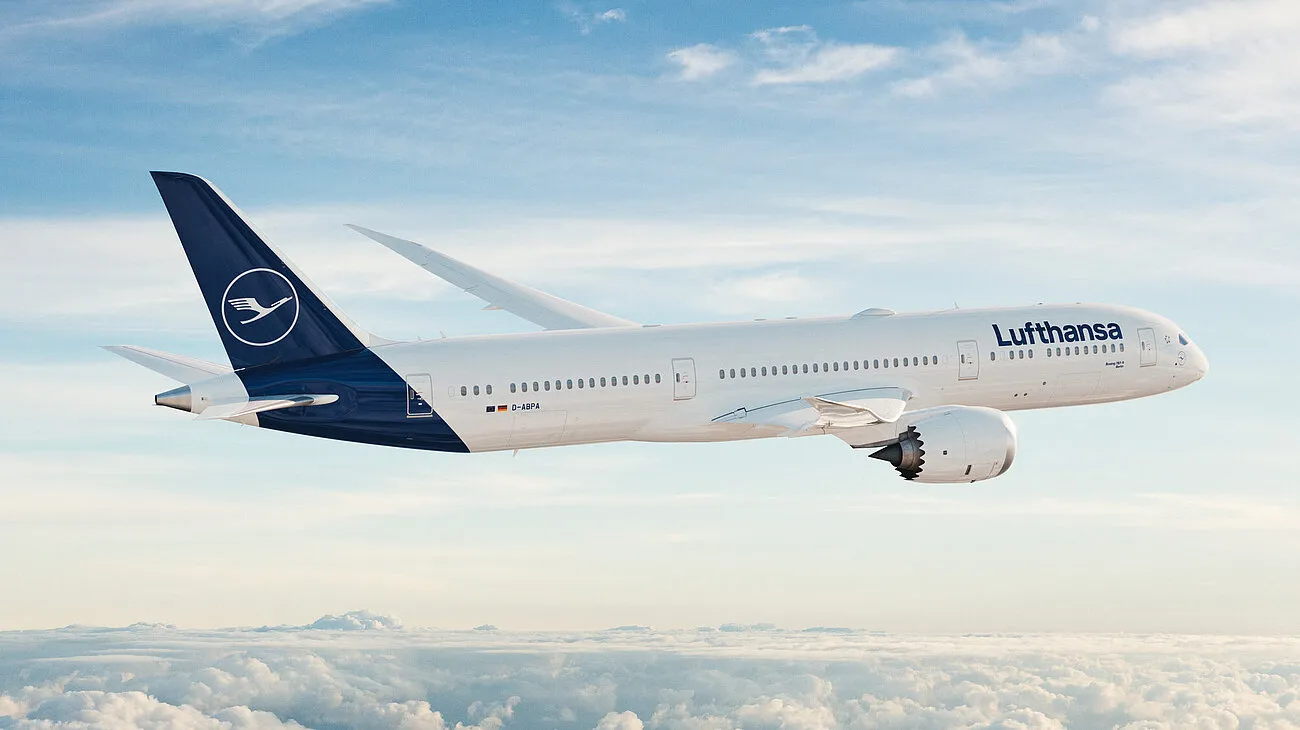
Serving millions of passengers across Lufthansa Group's six airline brands
Micro-Frontend for Web
We built the upgrade flow as a self-contained micro-frontend, designed to be integrated at multiple entry points across Lufthansa Group's digital ecosystem.
- — Why MFE over alternatives — Evaluated shared npm packages, iframes, and a monorepo. Module Federation gave us runtime integration with full build independence
- — Standalone MFE — Fully encapsulated with its own build pipeline
- — Multiple integration points — Injected into different pages and contexts across the group's websites
- — Scalability & isolation — Deployable independently without risk to host applications
- — Stack — Next.js + React + TypeScript + Vite
Cross-Platform via WebView
To avoid maintaining separate codebases for iOS and Android, we adopted a WebView approach. The native app shells handled platform concerns, while our React codebase powered the upgrade experience.
- — Why WebView over React Native / Flutter — A single web codebase meant zero duplication between web and mobile, faster iteration cycles
- — Single codebase — Across web and mobile
- — Native shells — On iOS and Android for navigation, authentication, and platform APIs
- — Near-native performance — WebView required aggressive optimization — asset preloading, minimal bridge calls, and layout tuning
- — Consistent UX — Passengers get the same polished experience regardless of platform
Simple architecture overview
iOS App
Native Shell
Lufthansa Websites
MFE Host
Android App
Native Shell
Integration Layer
Module Federation
MFE runtime
WebView Bridge
Native ↔ Web
Event Bus
Cross-app messaging
Upgrade Flow
Upgrade Selection
Selection Summary
Payment Flow
Confirmation
Multi-Tenant · 6 Brands
Performance Optimization
We achieved a 50% increase in loading speeds and runtime performance through a combination of strategies.
- — Code-splitting — Lazy-loading routes and heavy components to minimize initial bundle
- — Caching strategies — Service workers, CDN optimization, in-memory memoization
- — Asset optimization — Image compression, font subsetting, aggressive tree-shaking
- — Skeleton loaders & real-time feedback — Perceived performance improvements that kept users engaged during data fetches
Data-Driven Engineering
We didn't just ship features — we measured everything and iterated based on real data.
- — A/B testing framework — Integrated experiment infrastructure to test UI variants across brands
- — GA4 integration — Comprehensive event tracking for every meaningful user interaction
- — Elastic + Kibana — Real-time monitoring, error tracking, and performance dashboards
- — Conversion funnel analysis — Data-informed iteration on UI patterns, copy, and flow to continuously optimize the upgrade experience
04
Progressive Rollout
We couldn't afford a big-bang release. Stakeholders needed to see results early, and we needed to de-risk the migration. So we designed a staggered rollout strategy, powered by nginx-based traffic routing that let us surgically control who saw the new flow.
Phase 1
Mobile MVP
First release targeted mobile only, Lufthansa (LH) brand, British market, English & German languages.
nginx configuration controlled routing — if conditions weren't met, users were transparently redirected to the legacy flow.
Phase 2
Expand by market & language
As conversion data validated the new flow, we progressively opened to more markets and languages.
Each expansion was a controlled toggle in our nginx routing layer — zero downtime, instant rollback capability.
Phase 3
Multi-tenant rollout
Extended to additional airline brands (LX, OS, SN, 4Y, ITA), each requiring design system theming and tenant-specific configuration.
Same staggered approach: one tenant at a time, validated by data before moving to the next.
Phase 4
Web rollout
After proving the flow on mobile, rolled out to web across all brands and markets.
The micro-frontend architecture meant web integration was additive, not a rewrite.
Phase 5
Full ownership
Reached 100% of traffic across all devices, all tenants, all markets and languages.
Legacy system fully decommissioned.
05
Visual Walkthrough
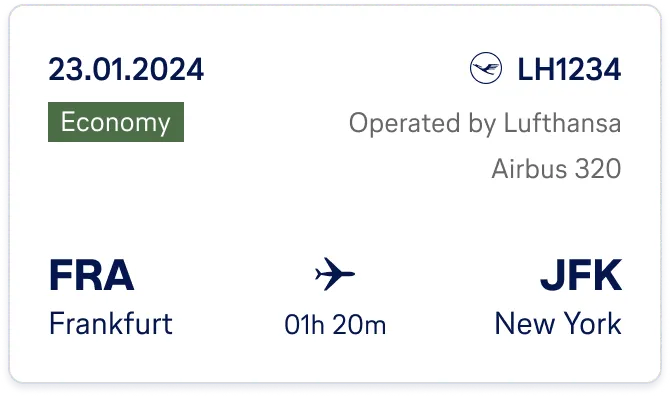
Components from the upgrade flow design system — built once, themed for six brands

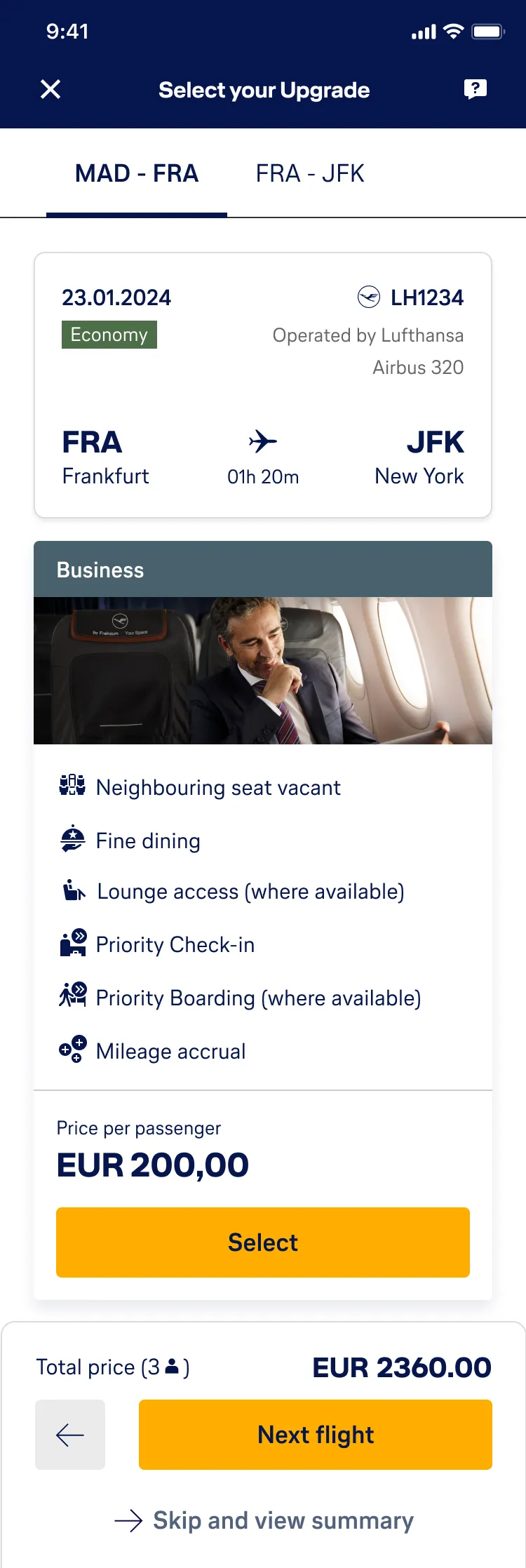
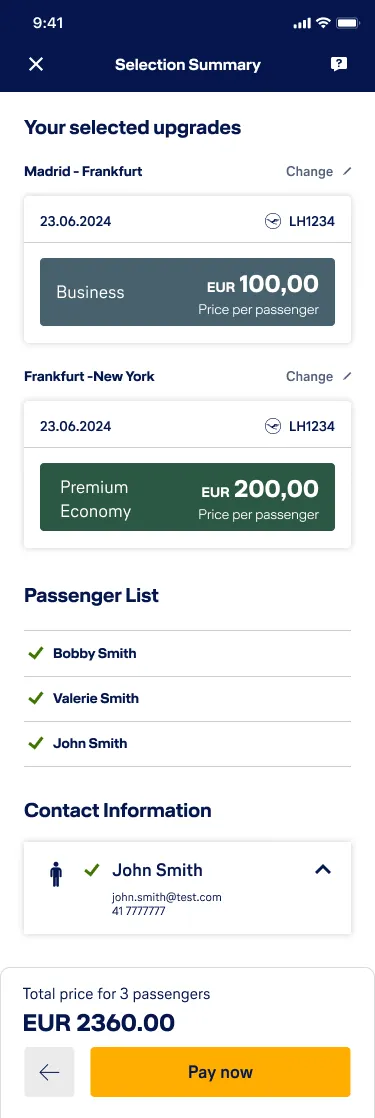
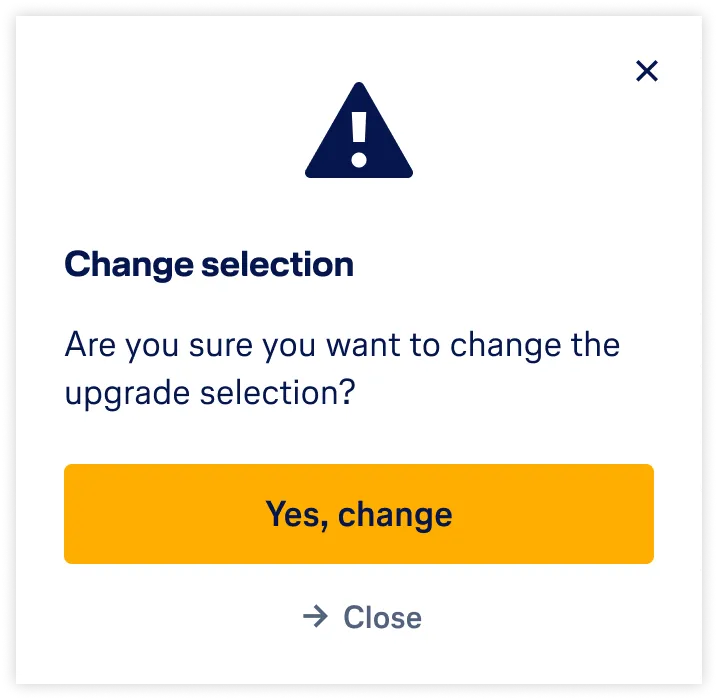
The upgrade flow on mobile — from entry point through selection to summary
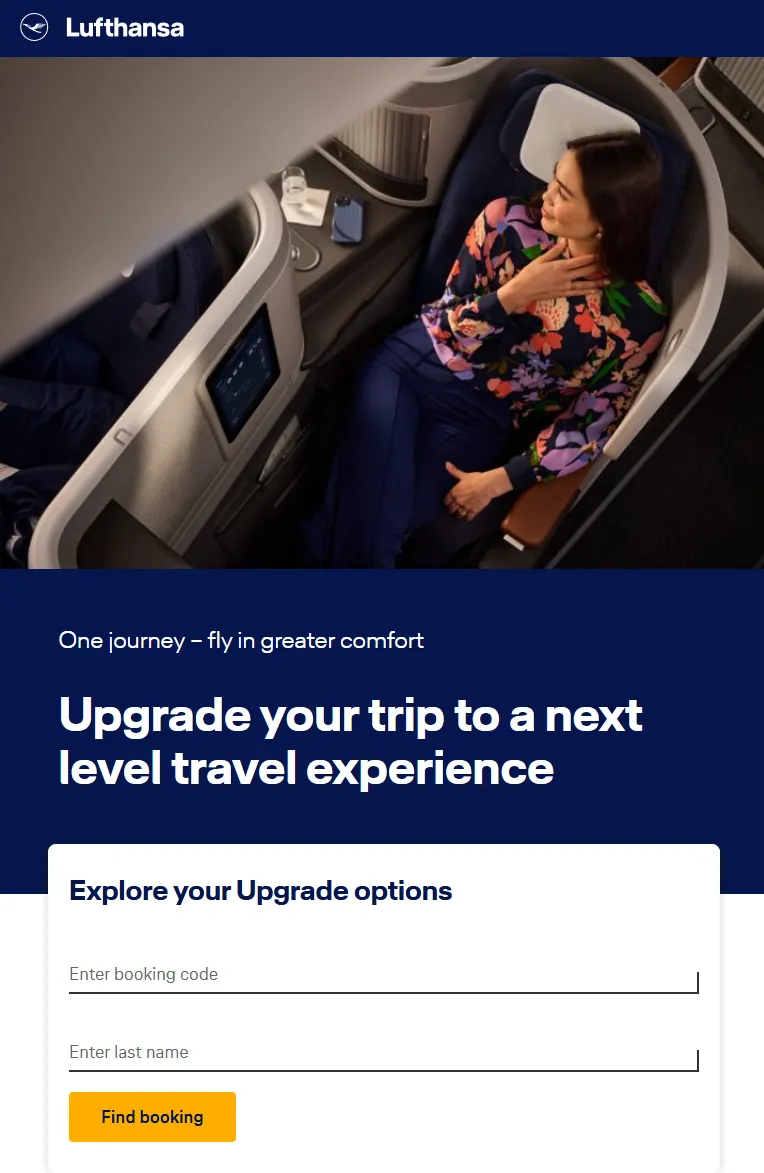
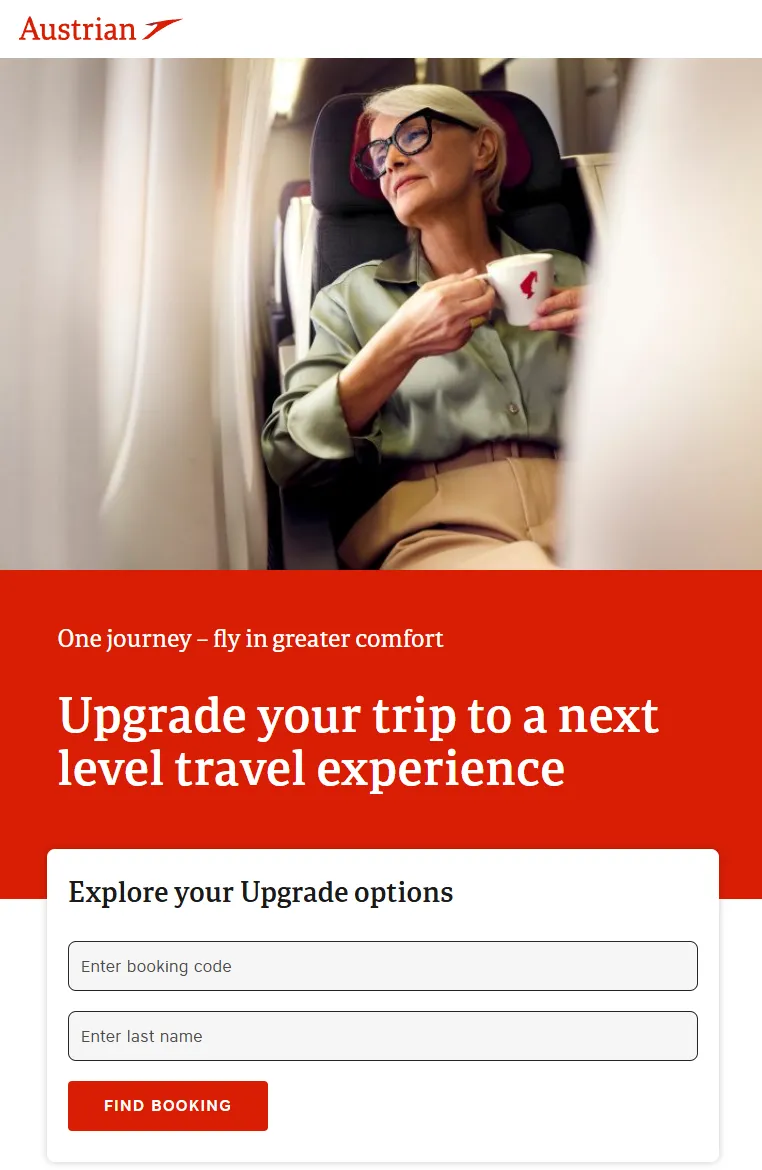
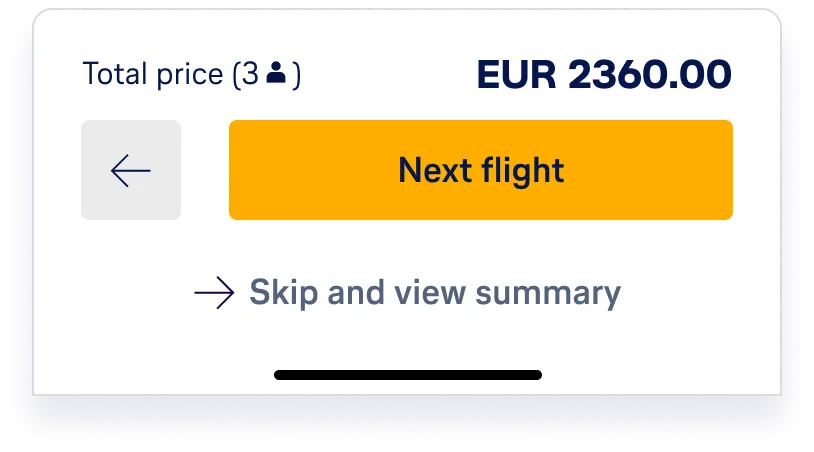
One codebase, six brand identities — the same upgrade flow adapted for Lufthansa and Austrian
06
Key Results
Performance
50% faster
Load times and runtime performance vs. legacy system
Brands
6 airlines
LH, LX, OS, SN, 4Y, ITA — all from a single codebase
Conversion
19.4% uplift
Data-driven UI patterns directly improved purchase completion
Bounce rate
32% reduction
Better perceived performance and UX kept users in the flow
Platforms
Web + iOS + Android
Single codebase serving all platforms via MFE + WebView
Accessibility
WCAG 2.1 AA
Contrast ratios, screen readers, and keyboard nav tested across 6 brand themes